Taskflow - your entire workflow in one place
Plan, track, and complete projects faster than ever.
Try it for freeFree for 14 days • No card
Why Taskflow?
Kanban Board
Visually manage tasks — drag, sort, and assign in just a couple of clicks.
Instant Communication
Built-in chat and notifications help your team stay in sync.
Detailed Analytics
Automatic reports on projects and team members for better planning.
How Taskflow Works
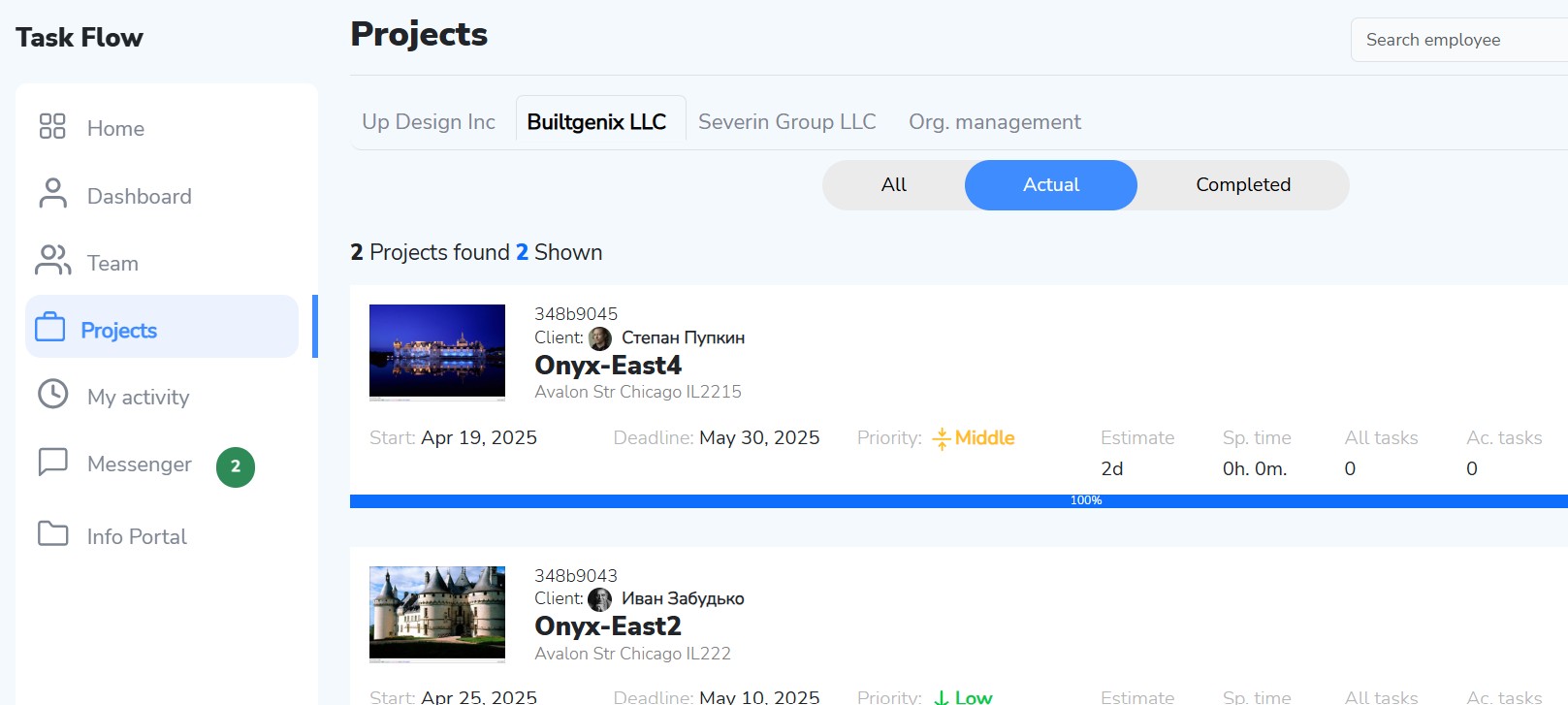
- Create a project — give it a name and define the goals.
- Add tasks — distribute them by stages and assign responsible people.
- Track progress — update statuses and receive reports.
- Communicate right inside cards — comments and files in one place.
Who Taskflow Is For
IT Teams
Manage development, sprints, and tasks with clear priorities.
Architects
Create projects, distribute tasks, track deadlines, and coordinate materials.
Designers
Organize work on multiple projects and keep everything under control.
User Testimonials
"Taskflow helped our team increase productivity by 35%!"
Anna, Project Manager
"Now we have one place for all tasks and communication. Saves tons of time."
Sergey, Team Lead
"Very user-friendly interface, new hires get used to it in minutes."
Marina, HR
Pricing Plans
Frequently Asked Questions
Super easy! Contact us via the feedback form and get a key to create a manager account. Once created, the manager can invite the team and start working with tasks.
Absolutely! Taskflow works perfectly for teams across different time zones.